![janes.jpg]](https://i.janes.com/hs-fs/hubfs/janes.jpg?height=40&name=janes.jpg)
Setting up pre-created email alerts
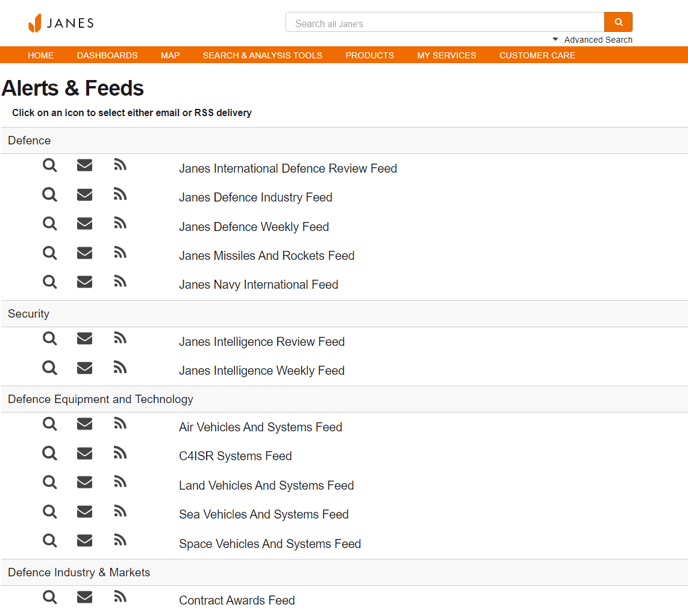
To set these up go to "My Services" in the top navigation and then select "My Alerts and Feeds". Simply click on the envelope icon to set up an email alert and the RSS icon to set up an RSS feed.
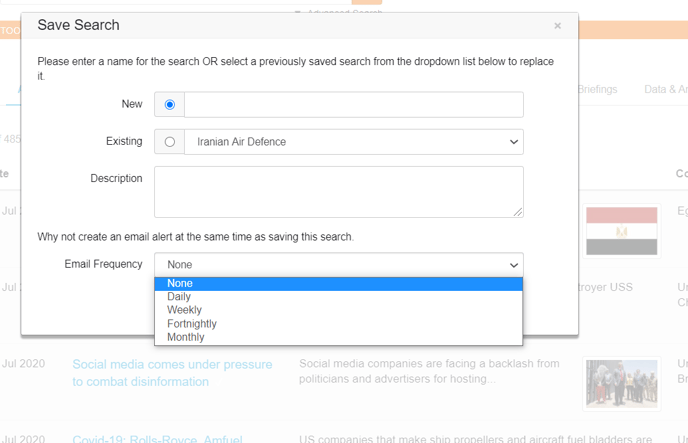
You can then enter a name for your feed, either creating a "New" feed or adding to an "Existing" saved search or feed. Then simply select your email frequency.
Accessing your email alerts
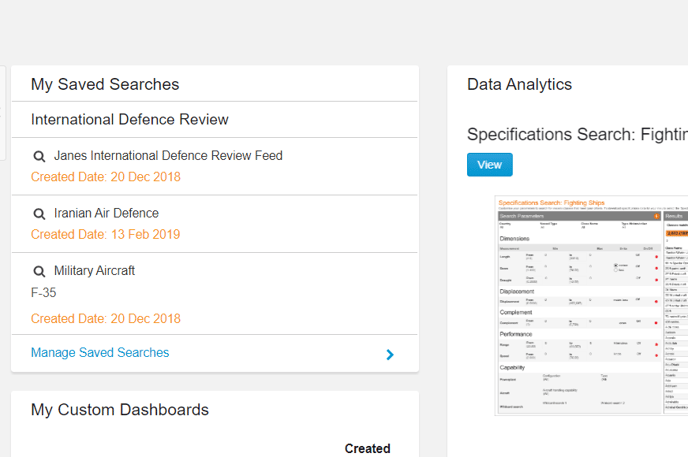
From the homepage, use the "Saved Searches" widget to access your feeds. Go to "Manage Saved Searches" alternatively select "My Saved Searches" from the "My Services" menu in the top navigation bar.
Managing your email alerts
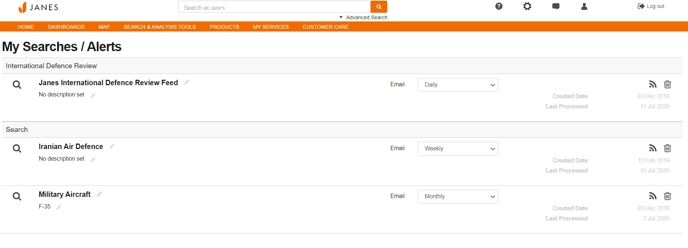
You can edit the name or description of your alert or search by clicking on the pencil icon. You can also change the frequency of your email alerts using the drop down menu. You can also click the icon to delete any email alerts you no longer require.