![janes.jpg]](https://i.janes.com/hs-fs/hubfs/janes.jpg?height=40&name=janes.jpg)
The homepage is designed to be customised to meet your requirements. The first time you land on this page a tutorial will appear which walks you through how to customise the page. You can access this tutorial at any time by clicking on the “Tutorial” icon in the top right of the screen just below the banner.
Overview of the homepage
Your selections will persist from session to session. A number of “widgets” (content blocks) are available, which allow you to quickly and easily access commonly used functionality or content.
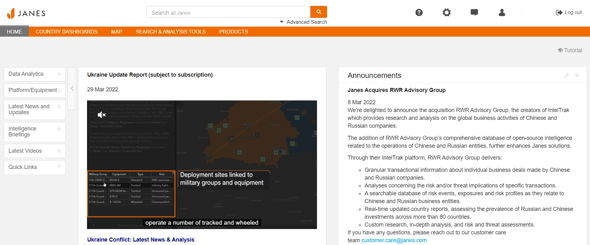
All available widgets are listed in the left hand menu. To add a widget either click + or drag and drop the widget to your position of your choosing. Once on the homepage widgets can be moved around by dragging and dropping.
Page Widgets Available
| Widget Name | Description |
|---|---|
| Announcements | Information about upcoming events, related updates, products and solutions announcements, and information about Janes in the news appears here |
| Data Analytics | A carousel of latest published Data Analytics content (requires a subscription to Data Analytics Module) |
| Intelligence Briefings | Links to recordings of our Intelligence Briefings |
| Latest News and Updates | Latest news and reference contents streamed to your homepage |
| Latest Videos | A carousel of our latest video content |
| Quick Links | Provides a hyperlink to latest news and reference content |