![janes.jpg]](https://i.janes.com/hs-fs/hubfs/janes.jpg?height=40&name=janes.jpg)
To create these follow the steps shown in the screenshots below:
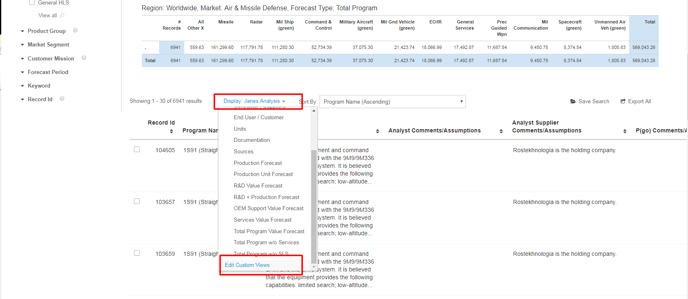
Select ‘Edit custom views’ option in the ‘Display’ drop down menu as shown below
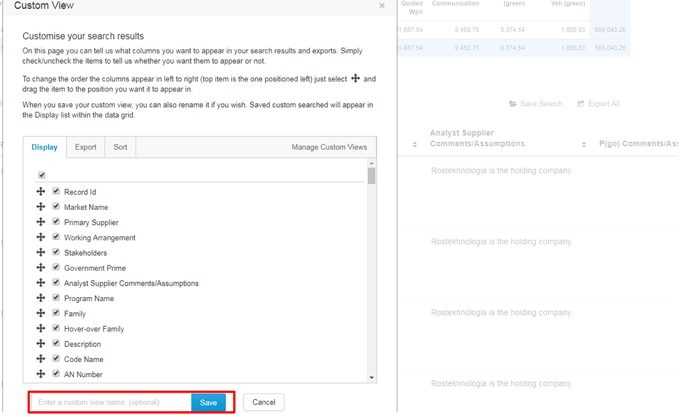
Select the items you want to appear in your grid and then you can save your custom data grid as shown below.