![janes.jpg]](https://i.janes.com/hs-fs/hubfs/janes.jpg?height=40&name=janes.jpg)
The chart that is displayed is now fully editable and you can do the following:
- change the X and Y axis
- change what you want the charted grouped by
- ability to add as many charts to the page as you want
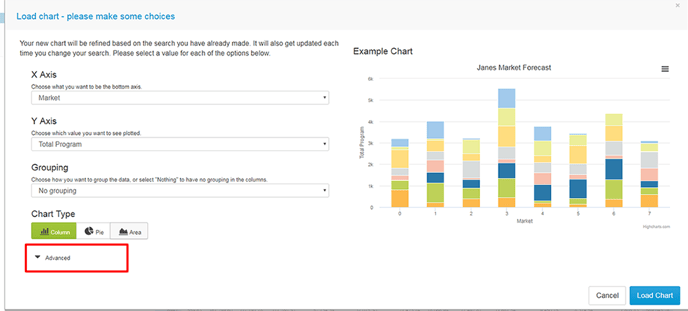
- determine what type of chart you want to display (options are area, stacked bar and pie charts) with the chart options shown dependent on the data and whether it can be displayed in a particular way
- ability to drill down in to chart segments and see the top 10 programmes for the chart segment you have selected
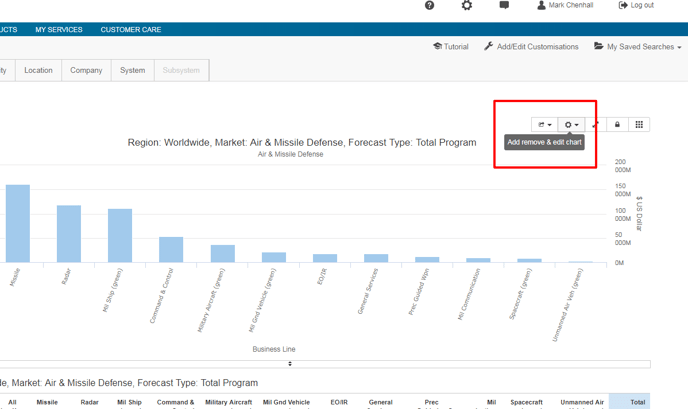
To access these chart editing functions see screenshots below:
Select 'chart editing' icon as shown below
Select how you want to display your chart. You can also determine how many items you want to appear on your x axis and your legend by changing the settings in ‘advanced’ as shown below