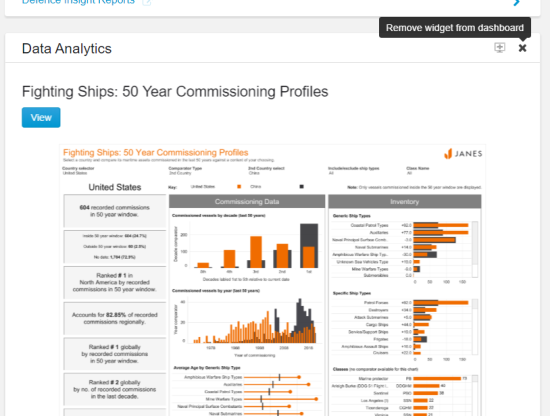
![janes.jpg]](https://i.janes.com/hs-fs/hubfs/janes.jpg?height=40&name=janes.jpg)
These interactive Tableau dashboards bring clarity to large and complex data sets.
This section demonstrates:
- How to access data analytics
- Available dashboards
- Examples of key functionality
Accessing data analytics
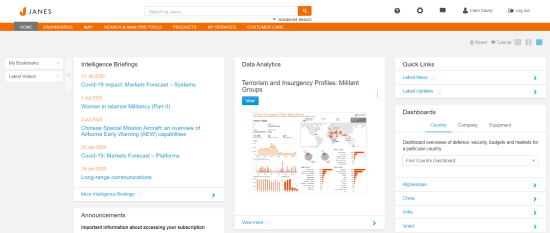
You can access data analytics via the main or intelligence centre home pages. Click on "View More" in the Data Analytics widget for the full list of available dashboards.
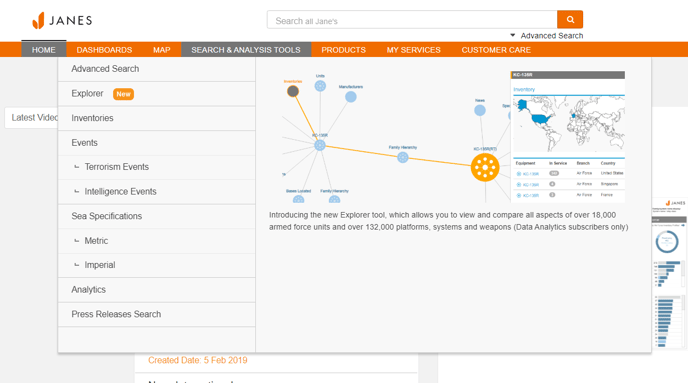
You can also access data analytics via the Search & Analysis Tools menu.
Available dashboards
Data analytics are accessible in the following solutions:
- Defence Equipment and Technology Intelligence Centre
- Military and Security Assessments Intelligence Centre
- Defence Industry and Markets Intelligence Centre
- Terrorism and Insurgency Centre
- Markets Forecast
Defence Equipment and Technology Intelligence Centre Data Analytics
- Specifications Search: Land Vehicles
- Equipment Comparison Tool: Fixed Wing Aircraft
- Specifications Analysis: Bombs
- Specifications Analysis: Torpedoes
- Specifications Search: Helicopters
- Specifications Search: UAVs
- Specifications Search: Fixed Wing Aircraft
- Specifications Search: Missiles
- Specifications Search: Weapons
- Fighting Ships Explorer
- Fighting Ships: 50 Year Commissioning Profiles
Military and Security Assessments Intelligence Centre Data Analytics
- Military Personnel Analysis Tool
- Risk Ratings Explorer
- Naval Inventories
- Air Force Inventory Profiles
- Army Inventory Profiles - Ground Vehicles
- Tri-Service Inventory Profiles
- Fighting Ships: 50 Year Commissioning Profiles
Defence Industry and Markets Intelligence Centre Data Analytics
- Defence Market Profiles
- Defence Budget Trends
- US Defence Budget FY20
Terrorism and Insurgency Centre Data Analytics
- JTIC Group Profiles
- Events Keyword Search
- JTIC Five Year NSAG Regional Activity Profile
- JTIC Day of the Week Attack Analysis
- JTIC Five Year NSAG Regional Activity Report
Key functionality of data analytics dashboards
Details of the functionality of each dashboard is available when you select your chosen dashboard. Below is an example of the functionality of Fighting Ships Explorer.
This dashboard uses fleet information from Janes Fighting Ships to provide an interactive overview of vessels in service, under construction, proposed or reserved worldwide. The dashboard can be manipulated by geography, vessel classification or by using the interactive charts and filters provided.