- Help Centre
- Markets Forecast
-
Getting Started
-
Training videos
-
Understanding the Basics
-
Customising your Experience
-
Maps
-
Scenarios and Case Studies
-
Data Analytics and Visualisations
-
Defence Equipment & Technology
-
Military Capabilities and Country Intelligence
-
Chemical, Biological, Radiology and Nuclear Assessments
-
Country Intelligence
-
Terrorism & Insurgency Centre
-
Intelligence Events
-
Defence Industry and Markets
-
Defence Programmes
-
Defence Budgets
-
Markets Forecast
Custom Data Grids
You are now able to create multiple custom data views.
To create these follow the steps shown in the screenshots below:
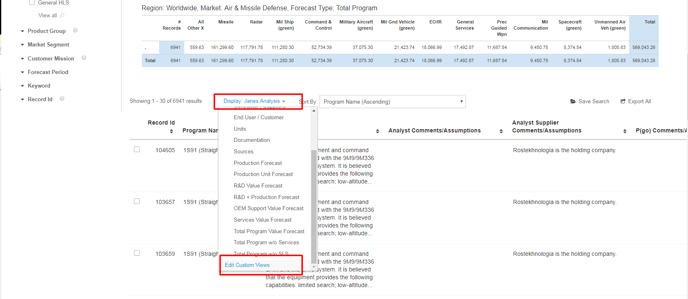
Select ‘Edit custom views’ option in the ‘Display’ drop down menu as shown below
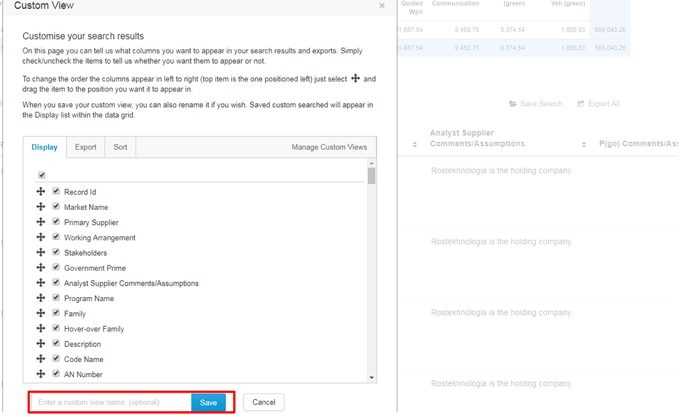
Select the items you want to appear in your grid and then you can save your custom data grid as shown below.